LEVEL UP
YOUR GAMING.
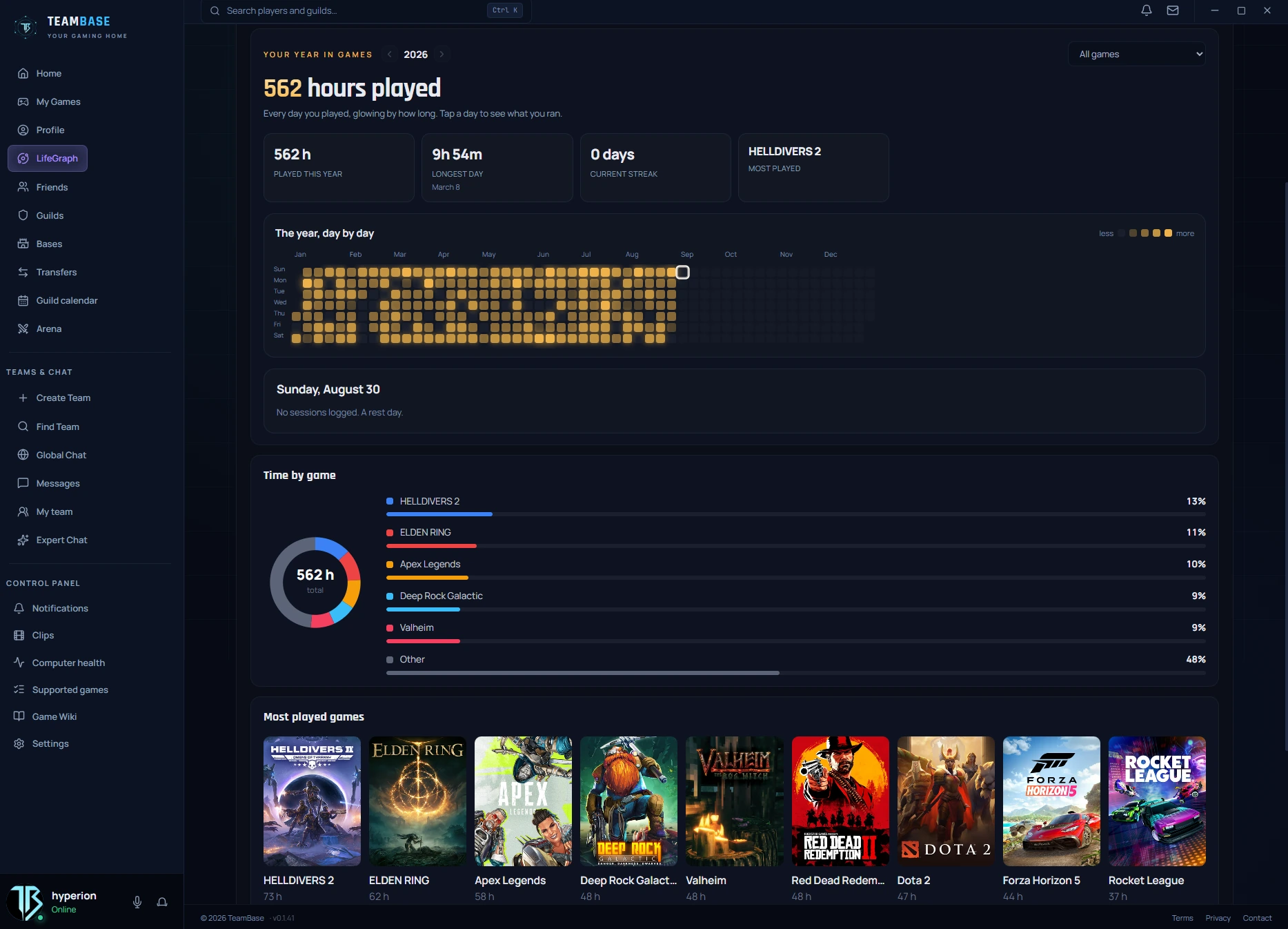
TeamBase is the place where stats from your gaming get built and tracked automatically, where you run your guild with a full overview of every member and how they perform, and where looking for a team does not take you half a lifetime. A place where you also get rated for how you play with the rest of the group — and much more.

Mark it.
Send it. Keep playing.
“It’s right there!” “Where?” “There!” Everyone has had that conversation. Two seconds of drawing beats two minutes of arguing about which spot or which thing you actually mean.
- The image never steals your mouse focus, so you can carry on playing.
- Alt+Shift+F is the default key that opens the full frame.
- Only the game window is captured, never anything else.
- 01
Press Alt+Shift+D
The app grabs one frame of the game and puts it in front of you, frozen.
- 02
Draw on it
Pick your line thickness and mark whatever you need, so everyone gets it.
- 03
Send it
Your mate gets the image in the corner of his screen. He can open it full size, or it throws itself away after a while.
Never alt-tab
mid-game again.
The wiki for the game you just launched, sitting on top of the game you just launched. Revolutionary, we know. Alt-tabbing to a browser mid-raid is how runs die. The advisor sits over the game, with notes written by the people who actually finished it.
- 5,277 games have their own wiki. Players make the rest.
- Anyone signed in adds their own note and can fix somebody else’s.
- Drag the window, resize it, park it in a corner, or switch it off with one toggle.
- 01
Press Alt+Shift+W
The advisor opens over your game. It already knows what you launched, so you never have to tell it, and you can search straight away.
- 02
Tips from players
It works like a big online encyclopedia. Anyone can add a note, anyone can extend or fix somebody else’s, and every version is public and signed, so a mistake can be rolled back by anyone with a single click.
- 03
Maps with pins
Drop a map into a guide and mark the spots with bosses, weapons, rare chests — with anything you like, really. Every pin can carry a name and notes of its own.
You were not recording.
And you still got it.
The best moments always happen while the recording is off. So TeamBase keeps the last few seconds of your game in memory at all times. When something lands, you hit Alt+F10 and the clip is saved after the fact, so you never miss one again.
- You set the length yourself in the settings.
- It runs in memory and gets thrown away as it goes. Only the clip you save ever reaches your disk.
- One key, no menus, and your game keeps running without a break.
Live stats
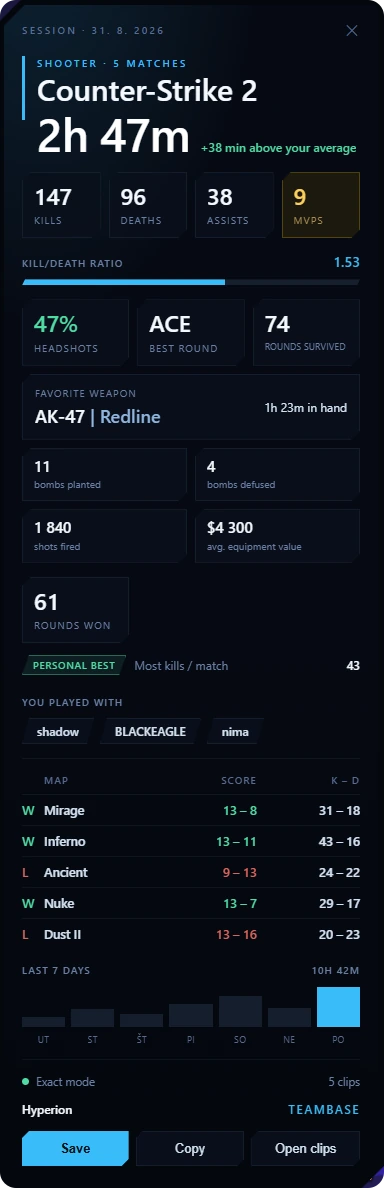
After every game, TeamBase drops you a summary of how long you played. In some games you also get stats like how many rounds you fired, how many headshots you got, which bosses you killed and which ones you wiped on, who you played with and plenty more. You will find the list of them in the app under Supported games. One click turns it into a card you can share. And your privacy is covered too: Everything runs only on your device, nothing is sent anywhere. The app never touches the game and reads only what the game sends out itself. No interference with the game, so anti-cheat will never have a problem with it.
That is the end of the scroll.
The app keeps going.
We tried to fit everything on this page. It did not fit. Guilds, events, transfers, the arena and expert chat are all waiting inside.
Everything you need to know
Didn't find an answer? Write to us and we'll be happy to help.